Try the live demo

What changes when you use SimSynch™.

Concrete improvements in how simulator instruction is planned, delivered, graded, and standardised.

🗂
No more blank paper forms
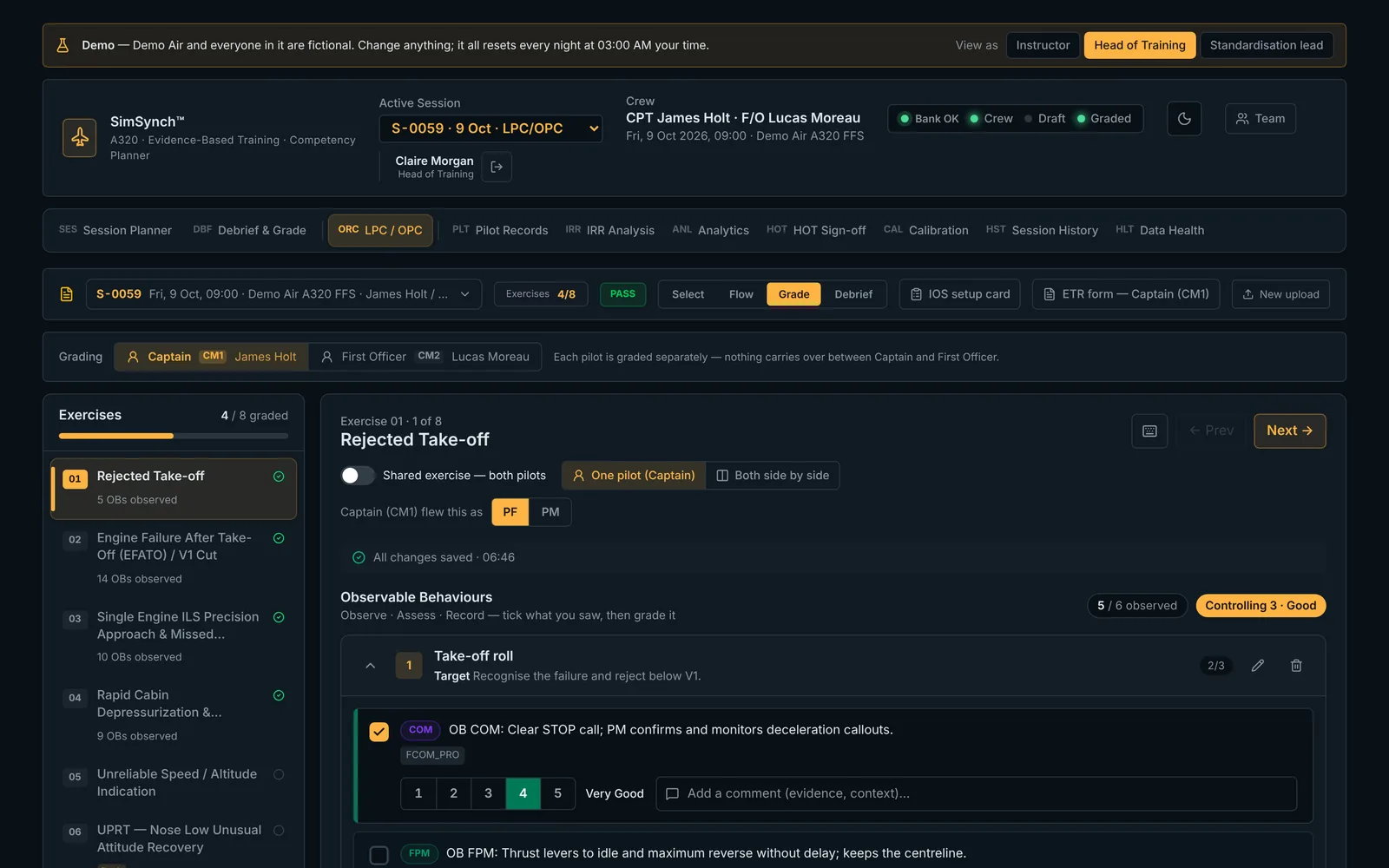
Observable Behaviour checklists generate automatically from the selected exercises — not handwritten or printed the night before. The right OBs are attached before the session starts.
Sourced from FCTM, QRH, Instructor Guide, OM-A/B — ATA-family fallback for generic malfunctions
⚡
Grade during the session, not after
Every grade saves the instant you click. Notes save on blur. No "Save" button to forget. When the session ends, the debrief record is already complete.
Real-time persistence · ORCA controlling-grade rule applied live
📄
Upload any operator programme
LPC/OPC Instructor Guide, FCOM abnormal procedures PDF, or EBT lesson plan — SimSynch auto-detects the format, extracts the training events, and maps them to the library.
Multi-format parsing with no manual configuration
📊
Competency evidence, not just grades
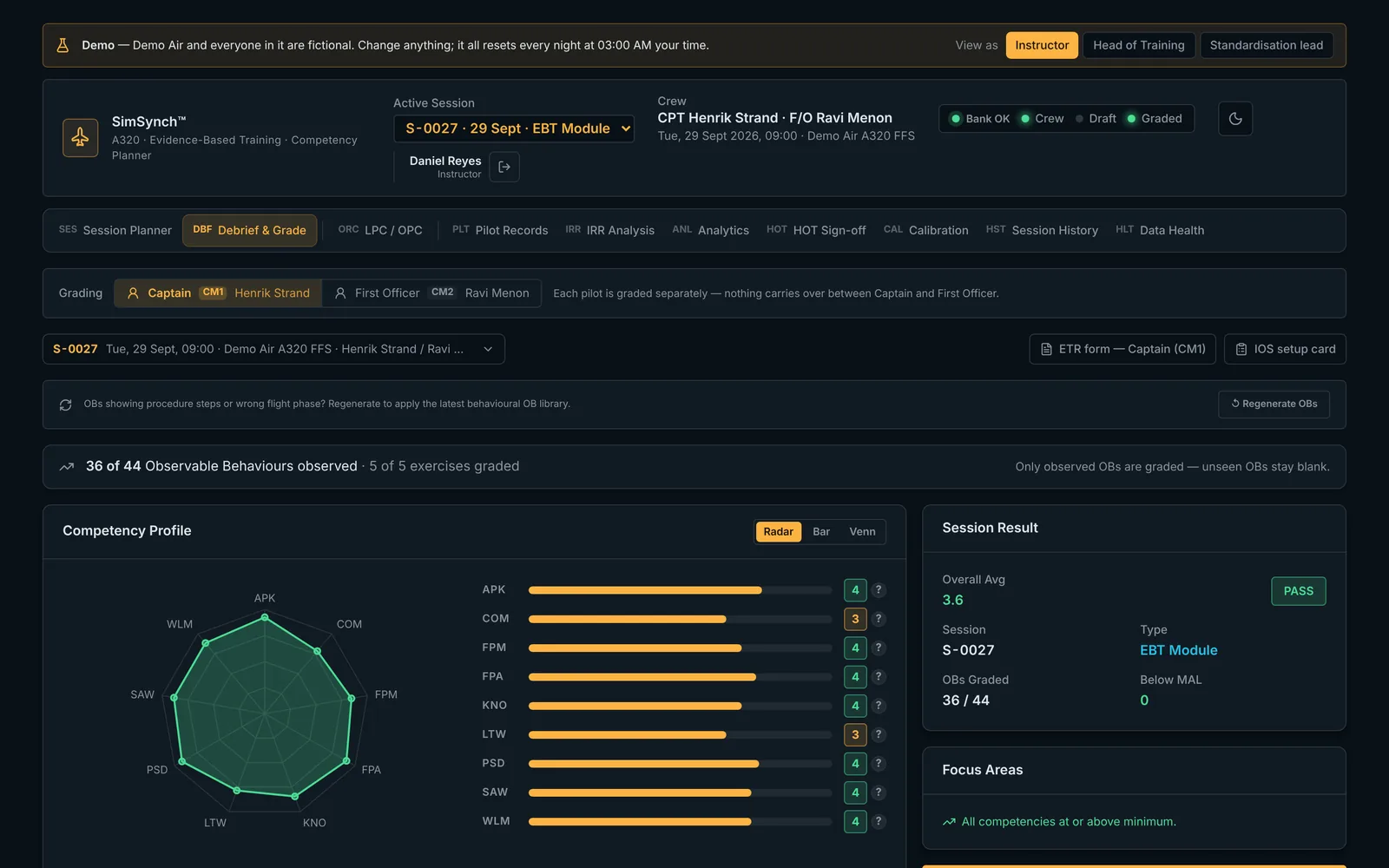
The debrief shows a competency radar built from the OBs actually observed, not averaged from a single overall score. The evidence is there before you open your mouth in the debrief.
Aggregated live from OB selections and per-pilot competency grades
🔧
Malfunction and MEL libraries built in
230 malfunctions searchable by ATA chapter, injectable directly into a slot. 677 MEL items cross-referenced and surfaced automatically wherever grading touches a dispatch item.
ATA-filtered malfunction search · live MEL OB enrichment
🏛
EASA structure, not an afterthought
MAL threshold = 3 throughout. Any competency graded below 3 triggers RETRAIN regardless of overall average — the ORCA controlling-grade principle, structurally enforced.
OM-D §3.1.1.1 · AMC1 ORO.FC.231 · CBTA framework
New 🎯
Instructor calibration
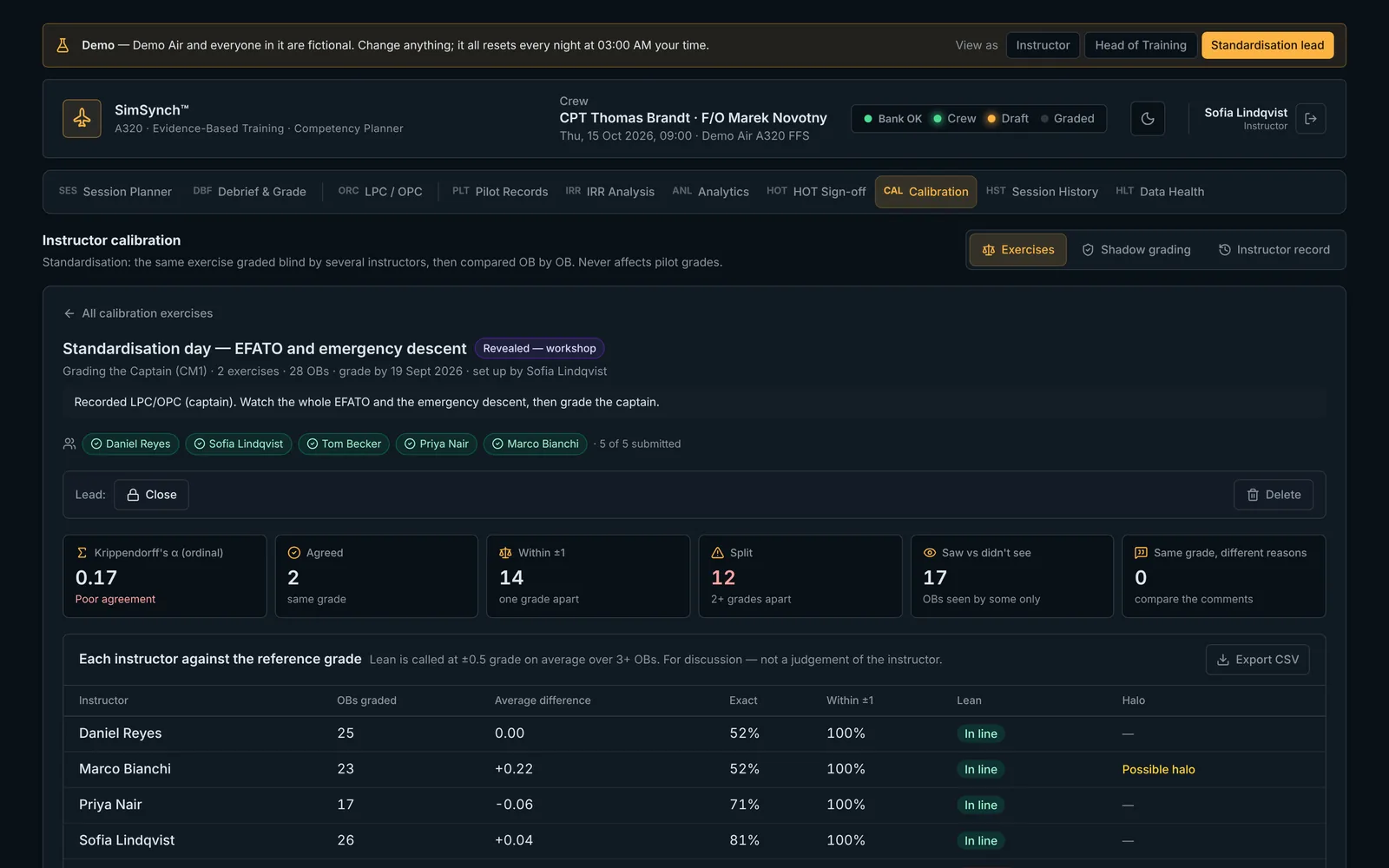
Blind grading exercises across instructors, an OB-by-OB workshop view, lean and halo detection, and a Krippendorff's alpha agreement score — plus shadow grading for live standardisation checks.
Fleet-standard grades saved and shown per OB · CSV export
New 📈
Training analytics
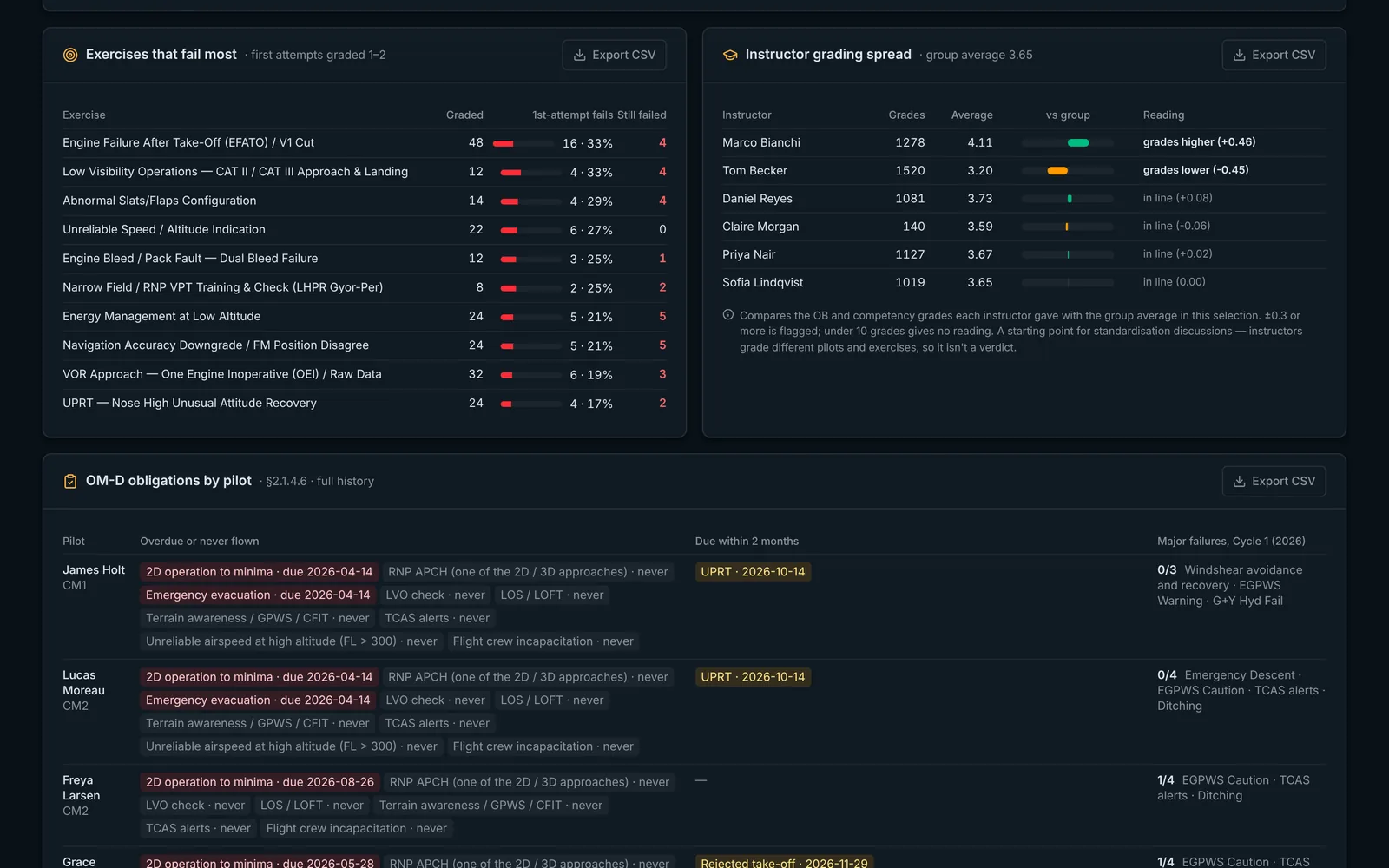
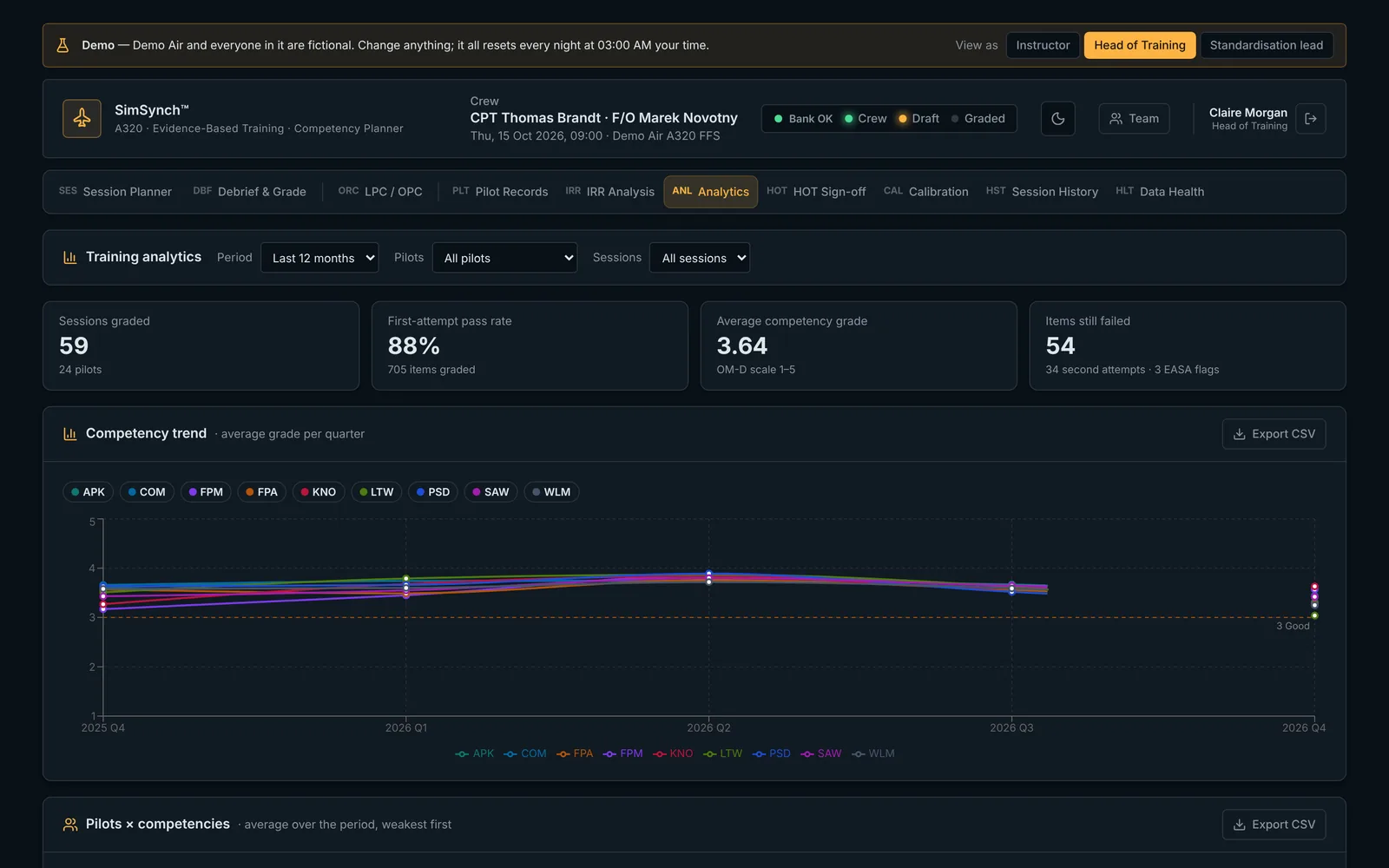
First-attempt pass rate, competency trend by quarter, pilots × competencies heat map, exercises that fail most, and instructor grading spread — all exportable to CSV.
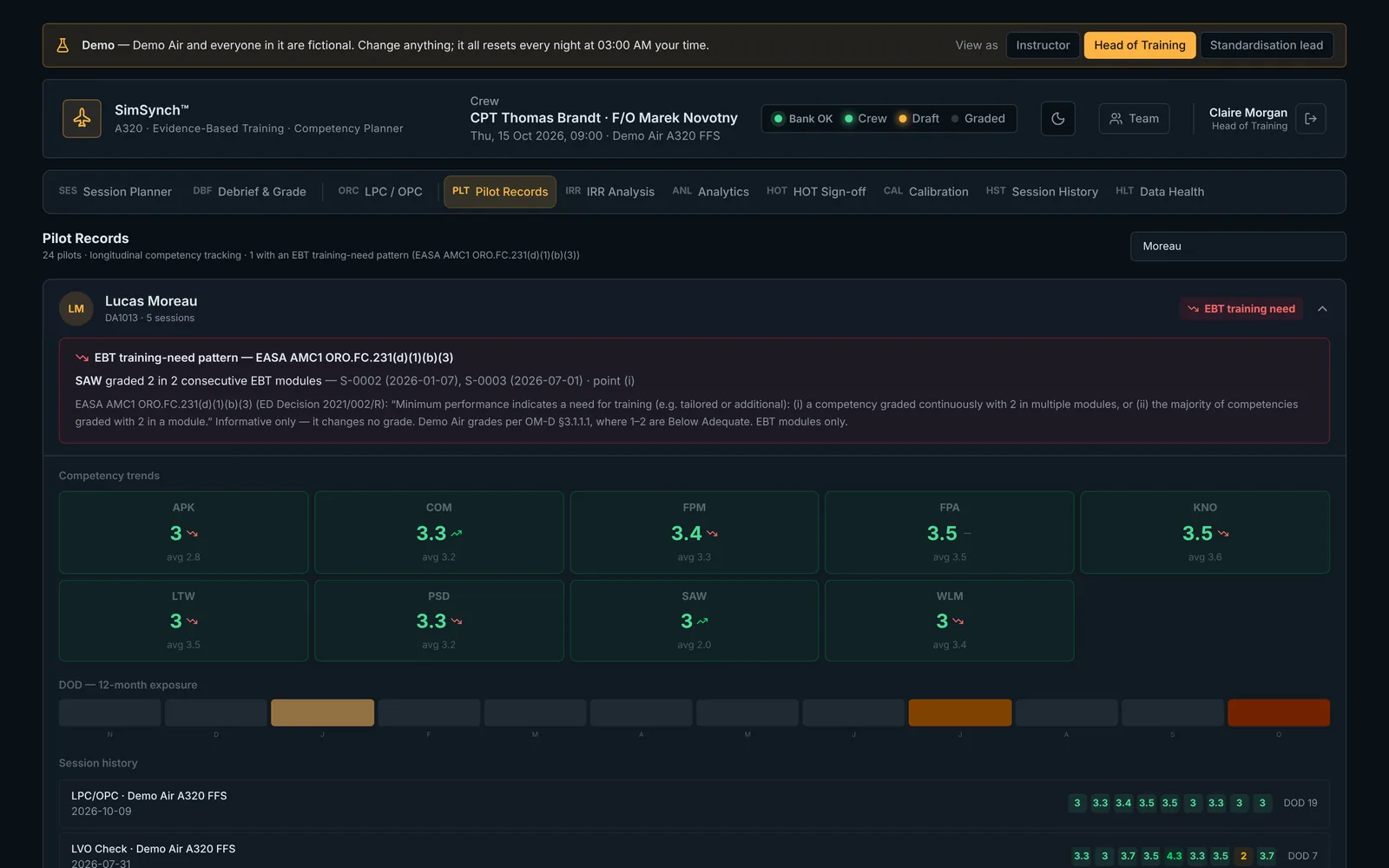
EASA training-need pattern flags per AMC1 ORO.FC.231(d)(1)(b)(3)
New 👤
Per-pilot grading, CM1/CM2
Captain and First Officer graded separately on the OM-D scale, PF/PM recorded per exercise. Second-attempt and competency-cap rules applied automatically, with a full audit trail.
Grade history logged — who, when, old and new value
Plan sessions like an ops board, not a spreadsheet.

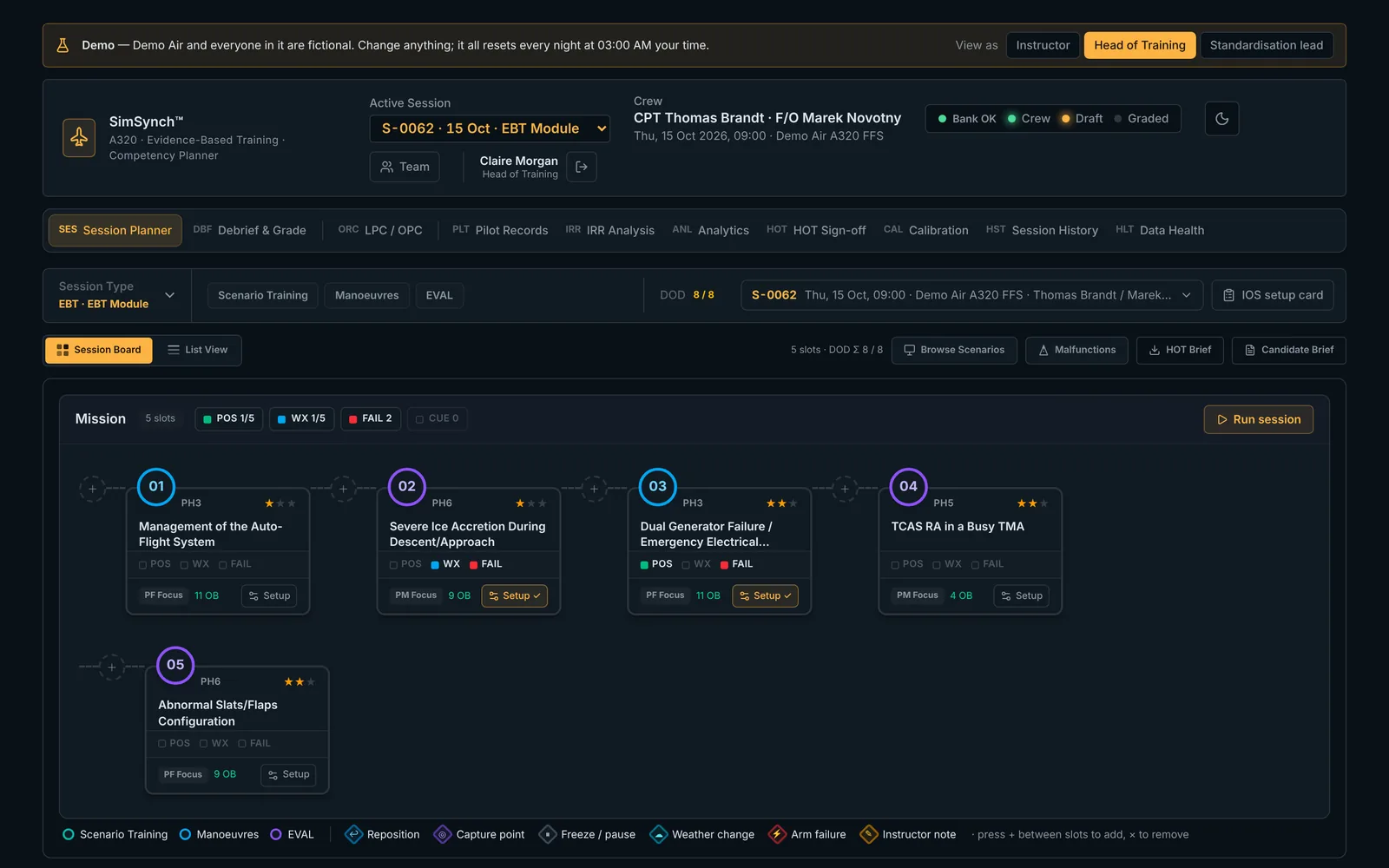
The Session Board replaces the slot table with a visual two-day planning board. Exercises are cards. Days are columns. Phases are swimlanes.

✓
Two-day layout, three phase swimlanes — Check/Eval, Manoeuvre, Training — exercises slot automatically into the correct lane.
✓
Drag to reorder — move any exercise between days, lanes, or positions; flow connectors show the session sequence pictorially.
✓
DOD and competency tags at a glance — colour-coded Degree of Difficulty and up to six EASA competency dots on every card.
✓
Board / List toggle — switch between the visual board and an editable table at any time; drag changes persist instantly.

Two documents. One click each. Distribution-ready.

SimSynch generates distribution-ready PDFs directly from the live exercise library. Update an OB, export again — the document reflects the current programme.

Programme Standards Document
A full training-standards reference for every TRI/TRE before the simulator period begins: competency legend, table of contents, one page per exercise with Pilot Target Actions and numbered OBs, each referenced to its source document.
Session Flow Diagram
A pictorial two-day flow diagram of the full programme — CM1/CM2 profiles in parallel swimlanes, failures and triggers marked — built for pre-session briefings and standardisation meetings.
Built for
regulatory
confidence.
✓
MAL = 3 enforced throughout — grades 1 and 2 trigger RETRAIN. The grading scale follows OM-D §3.1.1.1 exactly, with no way to configure a non-compliant result.
✓
ORCA controlling-grade rule applied live — the lowest observed OB grade caps the session result, per pilot.
✓
Session structure validated against AMC1 ORO.FC.231 — phase coverage, competency coverage, and DOD ceiling checked before you commit.
✓
EASA training-need patterns flagged automatically — AMC1 ORO.FC.231(d)(1)(b)(3): a competency graded 2 in consecutive EBT modules, or most competencies at 2 in one module.
✓
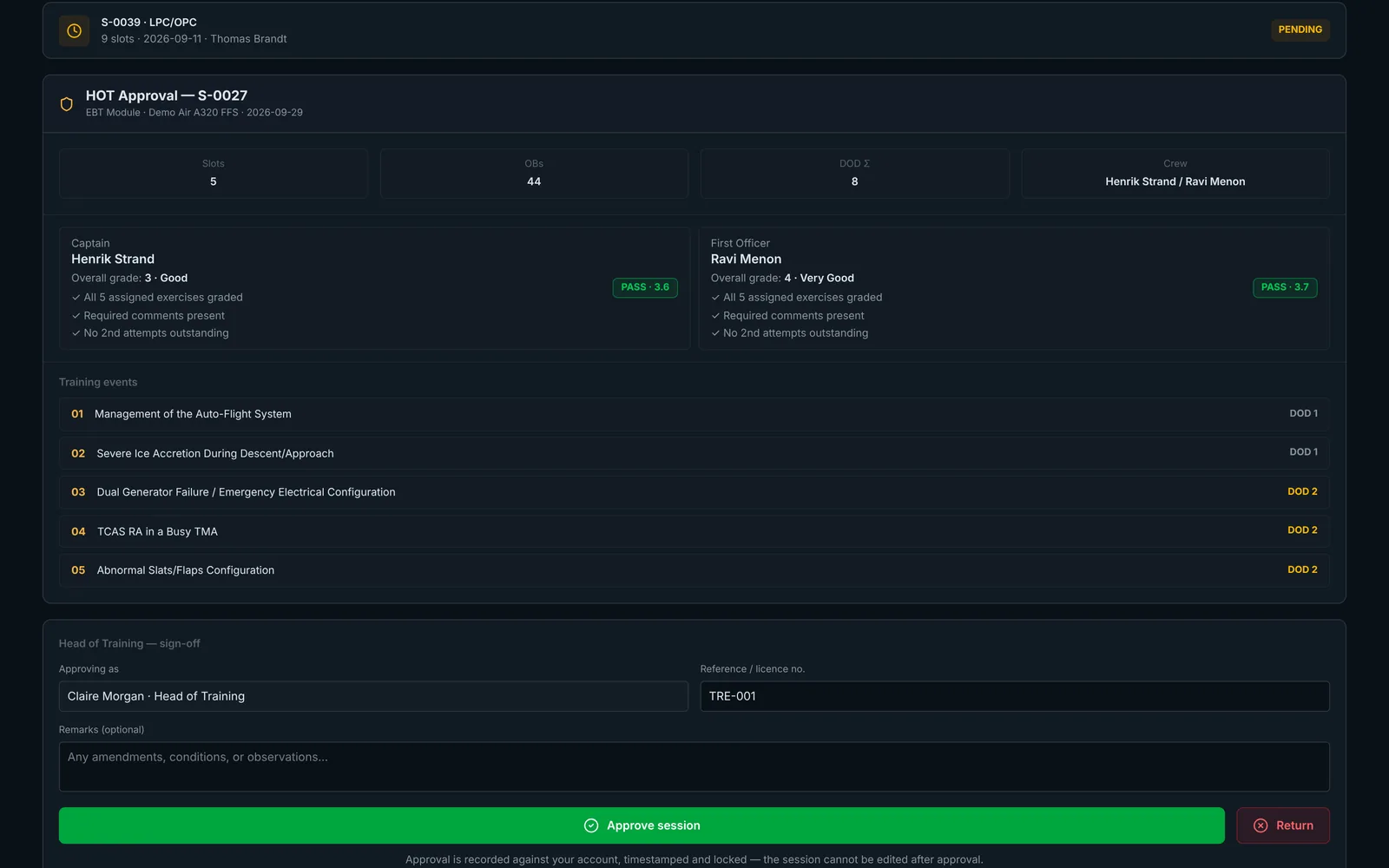
Debrief records timestamped and locked — approval marks the session Complete with a signed timestamp. Once locked, the record is tamper-evident.
✓
Observable Behaviours referenced to source documents — every OB carries its source tag so the evidence chain is auditable.
✓
Instructor agreement measured, not assumed — calibration workshops produce a documented inter-rater reliability score per exercise.
✓
Account and data security — new accounts inactive until approved, every table protected by row-level security, security headers on every page.

SimSynch™ vs. the status quo.

Most simulator training programmes still rely on paper forms, spreadsheets, and end-of-session recall. Here's what changes.

Capability Paper / spreadsheet SimSynch™ Generic LMS
Session plan built from full exercise library — ✓ —
Auto-OB attachment from uploaded programme PDF — ✓ —
Real-time, per-pilot OB grading (no batch save) — ✓ —
ORCA controlling-grade enforced automatically — ✓ —
MAL = 3 enforced (not configurable away) — ✓ Partial
Instructor calibration & agreement scoring — ✓ —
Training analytics & EASA training-need flags — ✓ Partial
Session debrief auto-generated at end of check — ✓ —
Cross-references QRH / FCTM / OM-A / MEL Manual ✓ —
Candidate history and recurrent-obligation tracking Spreadsheet ✓ ✓

Try it yourself — no setup, no sign-up.

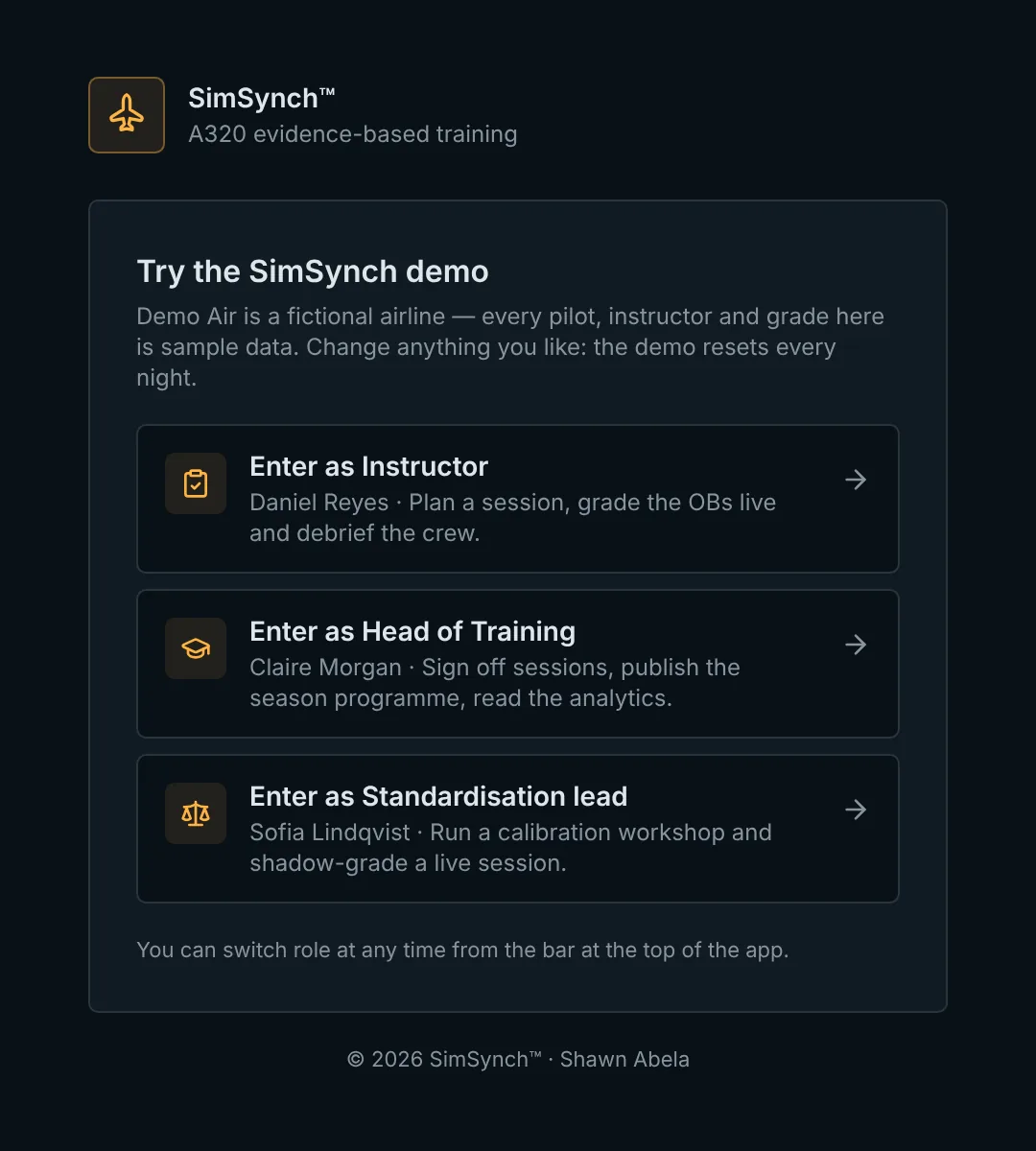
A public demo at demo.simsynch.com runs on a fictional airline with a full year of sample training data. Enter as Instructor, Head of Training, or Standardisation Lead and switch role at any time.

✓ 24 pilots, 60+ sessions, full analytics and sign-off history
✓ A live calibration workshop to explore
✓ Resets nightly — nothing to clean up
Open demo.simsynch.com